
Inside this article
- A digital twin is a working copy of your data. Agents do the work there, your live systems stay the system of record, and a person decides what goes back and when.
- The approval gate shows the reviewer exactly what will change before it changes. The reviewer approves or rejects, and the decision is recorded.
- Approval does not have to slow everything down. Each action is allowed, sent for approval or denied, so people spend their attention on the changes that matter.
Operations and security leaders tend to ask the same first question about AI agents: what can it change, and who checks it first? It is the right question. An agent that can only read and summarise is easy to approve. An agent that can update a ticket, change a deal or create a customer record needs a clear answer.
One answer that works well is simple to describe. The agent works on a copy. A person approves what reaches the live system. This article explains the idea, what happens at the gate, and what to look for in any platform that claims to do it.
What does "working on a copy" mean?
Your PSA, CRM and ERP hold the records your business runs on. They are the systems of record, and they should stay that way.
In PRESHos, agents do their work on a digital twin: a working copy of your data, with a gate before production. The agent reads the copy, drafts changes against it and prepares its result there. Your live systems are not the workbench.
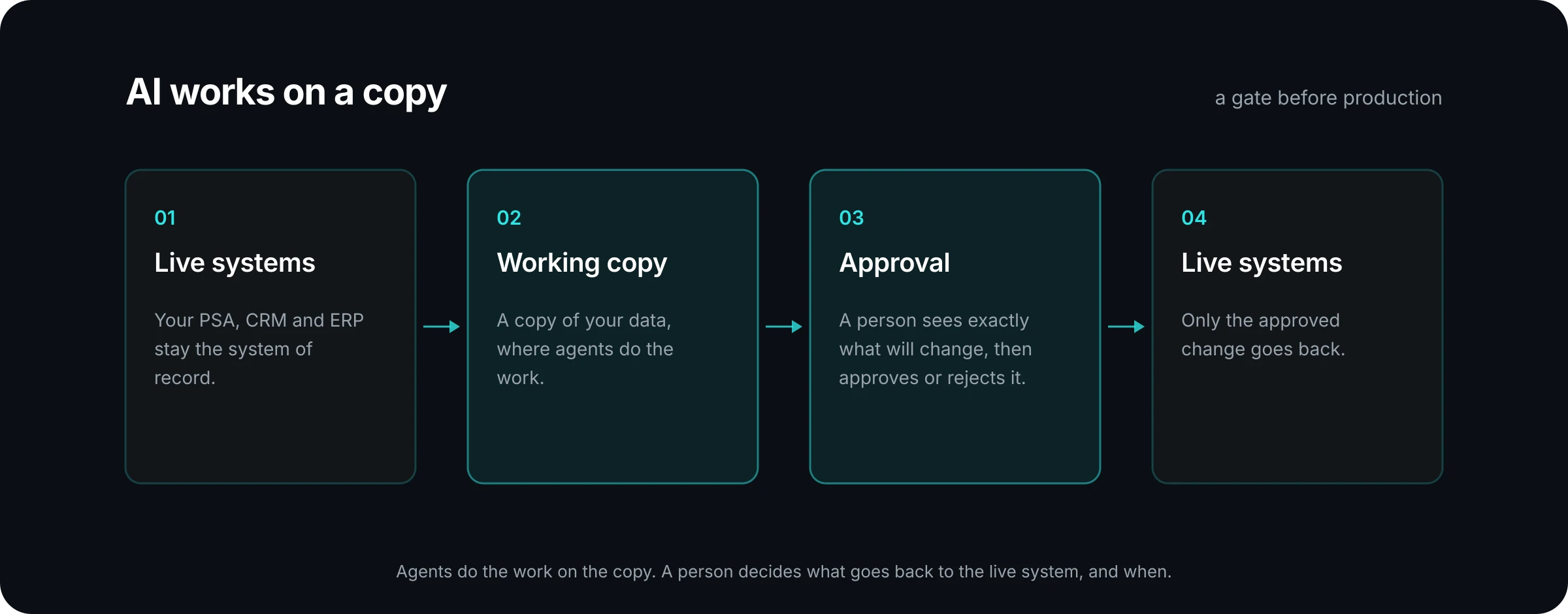
The same pattern is familiar from other parts of IT. Engineers test a change in staging before production. Finance prepares a journal before posting it. The working copy gives agents the same kind of space: room to do the whole job, with a checkpoint before the result counts.
Why not let the agent work directly in the live system?
Because the two jobs are different. Doing the work and committing the work are separate acts, and they deserve separate controls.
When an agent works directly in a live system, every step is also a commitment. A half-finished update is already visible to customers and colleagues. A wrong value is already in a report. Undoing it means finding every place it landed.
When the agent works on a copy, the work can be complete before anyone has to trust it. The agent can gather context, try an approach and assemble the full change. The reviewer then looks at a finished proposal instead of watching each keystroke. That is a better use of the reviewer's time, and it keeps the system of record clean.
It also makes the scope of a mistake smaller. A wrong draft on a copy costs a rejection. A wrong write to a live system costs a cleanup.
What happens at the approval gate?
The gate is the point where a proposed change meets a person. In PRESHos, the agent proposes and the owner decides. Reviews land in one inbox, so approvals do not scatter across email and chat.
When an agent reaches an action that needs approval, the request is created before the action runs. The agent's work pauses at that point. Once a person approves, the same piece of work continues from where it stopped. The agent does not start again, and nothing is written in the meantime.
The decision is kept. The record shows who did it, which agent, which tools and what changed, along with the human approval itself. The governance page shows the approval inbox and the role settings behind it.
Does every action need a person?
No, and it should not. If every step waited for sign-off, people would stop reading the requests and start clicking Approve. That is worse than having no gate.
Role permissions and tool policy give each action one of three outcomes.
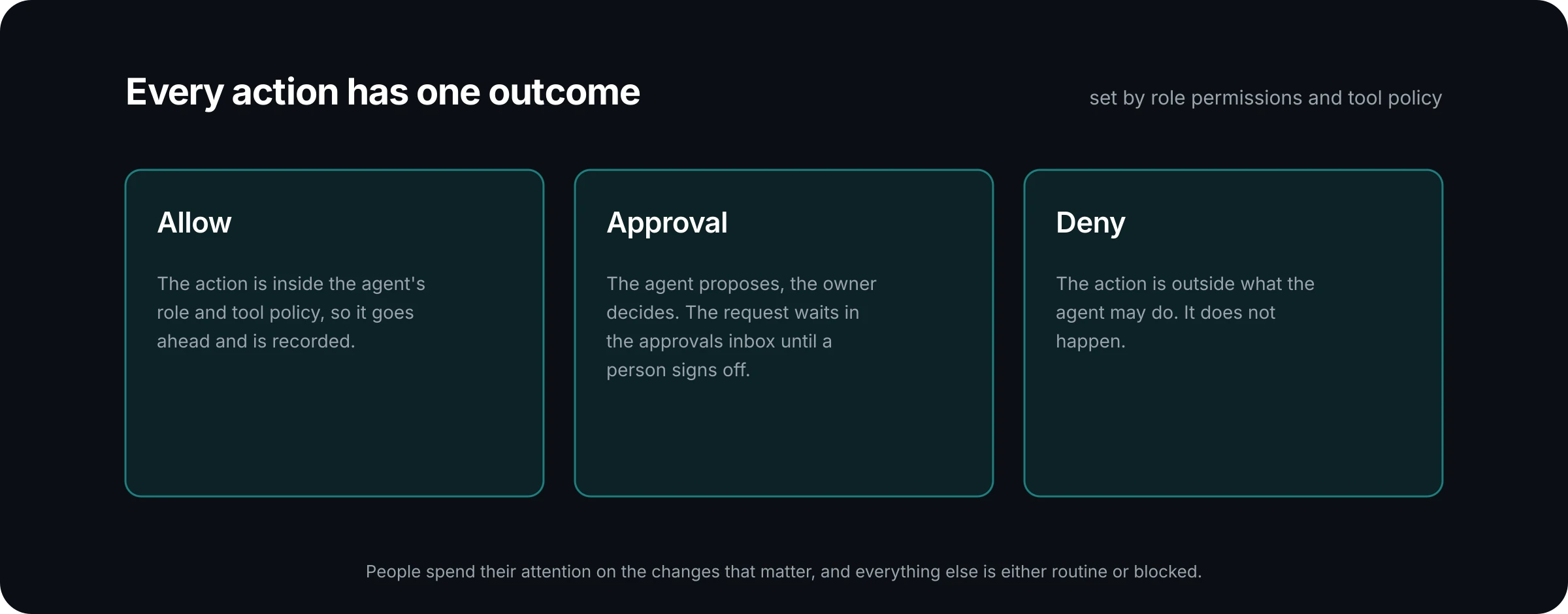
Deciding which actions fall into which outcome is the real design work. A useful way to sort them is by how hard the action is to undo and who would notice if it were wrong.
Here is an example. An MSP sets up an agent to prepare quarterly business reviews. Reading ticket history and building the review document are allowed, because they change nothing outside the agent's own session. Creating a new company record needs approval, because other people rely on that data. Deleting records is denied outright, because the job never calls for it.
What does the reviewer actually see?
A good approval request answers one question at a glance: what will be different if I say yes?
In PRESHos, a person sees exactly what will change, then approves or rejects it. A request to create a record shows the record and the fields it will set. A request to edit a record shows the current value and the new value side by side, with names in place of internal identifiers. A deliverable such as a report opens for review with a comment panel beside it, so the reviewer can note what needs to change.
Three things make a request quick to review:
- A plain title that says what the agent wants to do.
- The change itself, shown as before and after.
- The context: which piece of work this belongs to and which agent is asking.
If a reviewer has to open another system to understand a request, the request is not finished. You can see real approval screens in the product tour.
What happens when the reviewer says no?
A rejection is a normal outcome, and a useful one. In PRESHos, a rejected piece of work can be revised and sent back. The reviewer's comments go with the decision, so the next version responds to what the reviewer asked for.
Nothing reached the live system, so there is nothing to roll back. The cost of a rejection is one more round of review. Over time the pattern of rejections also tells you something. If the same kind of request keeps coming back, the agent's instructions or its access need attention, and that is worth fixing at the source.
What to ask of any agent platform
Whether or not you use PRESHos, these questions will tell you how seriously a platform treats the line between doing work and committing it:
- Where does the agent do its work, and what is the system of record?
- Which actions run on their own, which wait for a person, and which are blocked? Who sets that?
- Does the reviewer see the exact change, or only a description of it?
- Is the approval recorded with the name of the person who gave it?
- When a change is rejected, what has to be undone?
The goal is a setup where agents can do a full day of useful work and your people stay in charge of what changes. A working copy and an approval gate are how you get both.
If you want to see how this would apply to one of your own workflows, talk to us. We will walk through what an agent would do, and what a person would approve.