


See PRESHosdo a real job.
One piece of work, from the request to the approval. Every screen is the real product, in a demo workspace with a fictional client.
Hand the jobto an agent.
Describe the work in plain words. The agent plans it, does it in its own isolated session and keeps you posted as it goes. This recording is a real run, with the waiting sped up.
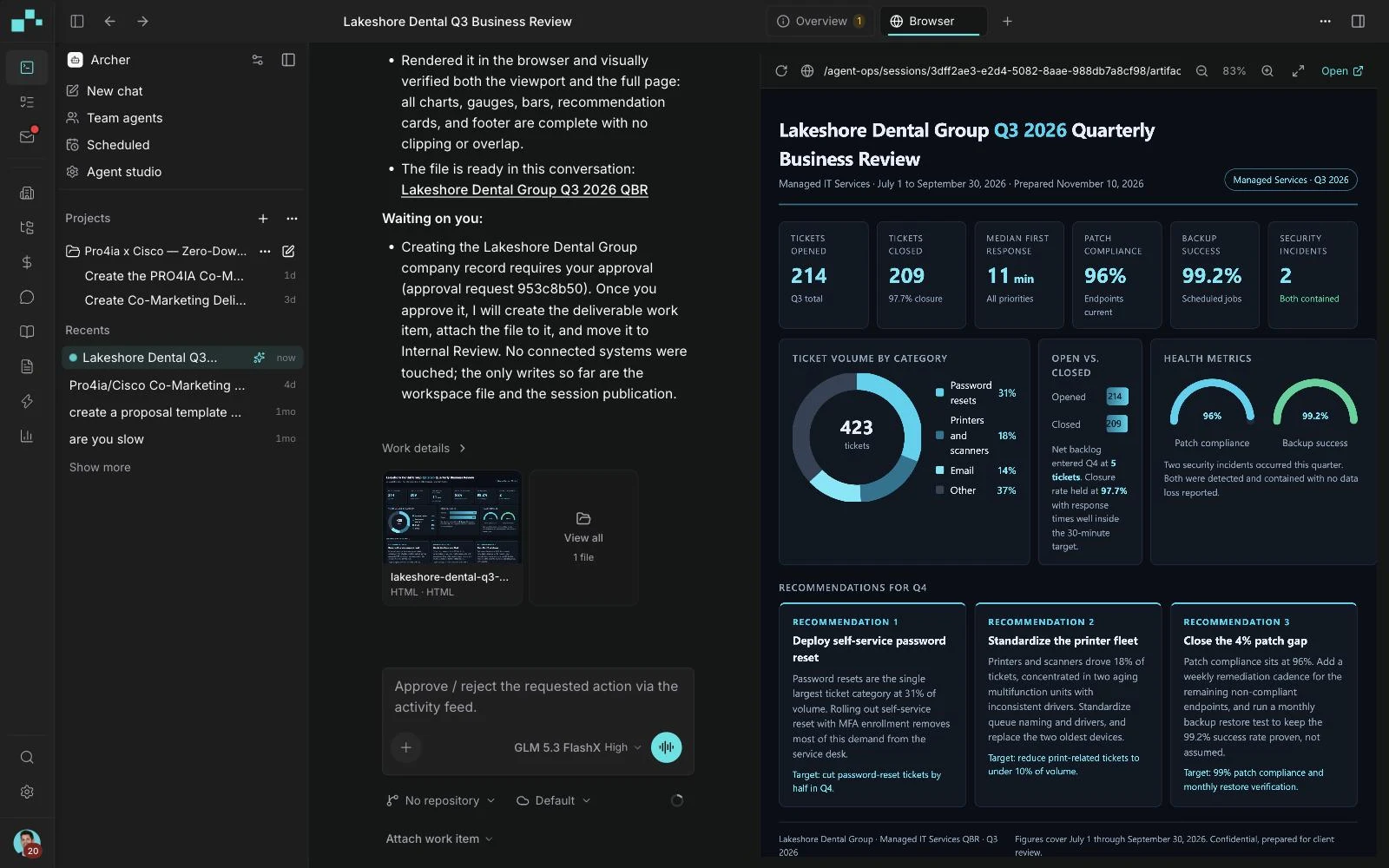
It reports backwith the work.
The agent says what it built and what is waiting on a person. The files it produced open beside the conversation.
A personsigns off.
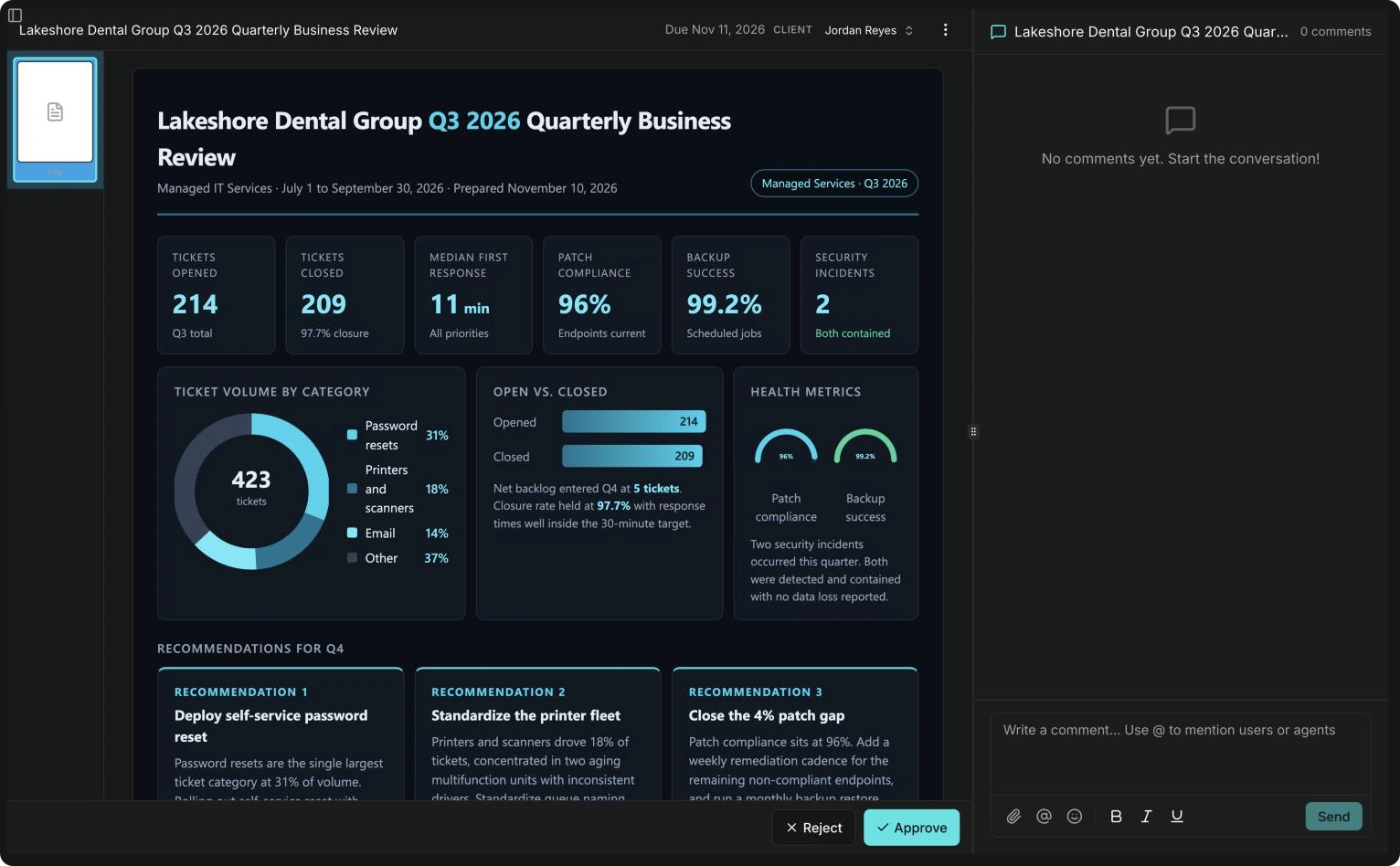
The deliverable lands in one inbox. The reviewer reads it, comments where needed, then approves or rejects it. Nothing goes to the client before that.
Next time,it starts itself.
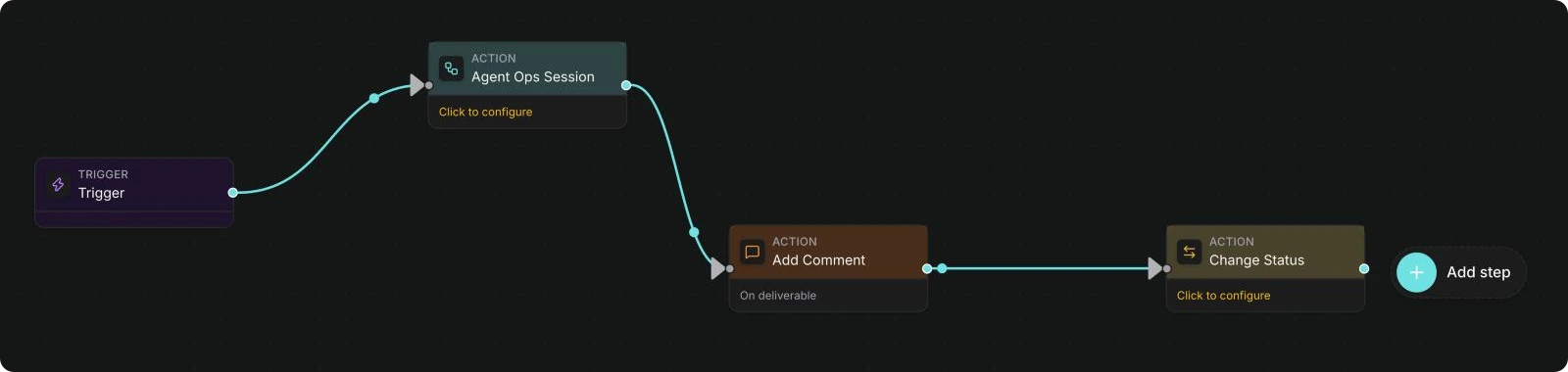
An automation is a trigger that starts an agent or an action. Each one is laid out as steps you can read.
Connected toyour systems.
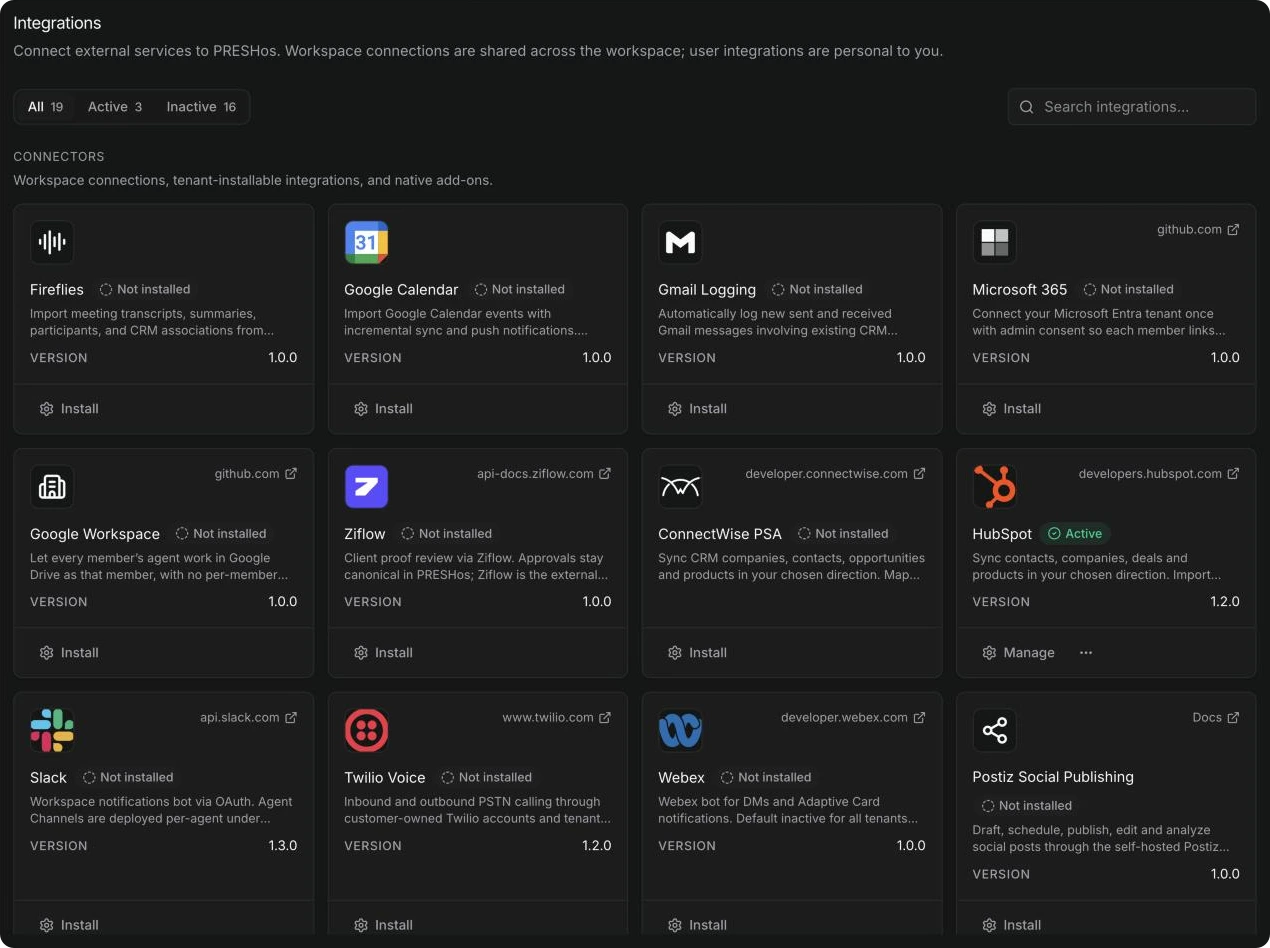
Connectors sync records with the systems you already run, mapped field by field. Install one from the catalog and manage it in one place.
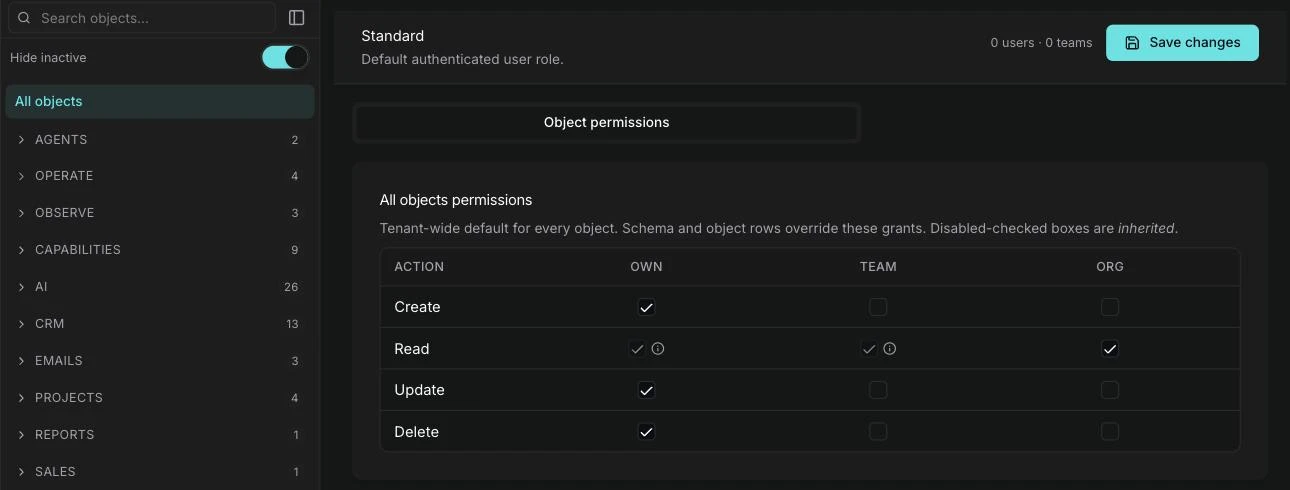
All of itunder your rules.
Roles for people and for agents decide what each may create, read, update and delete, for their own records, their team's or the whole organisation's.
Relatedreading.
More on Platform
AI & Automation
AI Works on a Copy: Approval Before Anything Reaches a Live System
Agents can do real work on a working copy of your data while a person approves what goes back. Here is how a digital twin and an approval gate work together.
AI Engineering
Choosing a Model per Agent: Match the Model to the Job
Different agent jobs suit different AI models. Here is how to choose a model per agent, compare options fairly and keep your controls the same throughout.
AI Engineering
Field-Level Permissions for Agents: Control Down to the Field
Field-level permissions decide which parts of a record an agent can read or change. Here is how roles, scopes and fields combine, with a worked example.

See it on your own workflow.
Bring us the work you want agents to do. We will walk through how PRESHos would run it, and what your people would approve.