
Inside this article
- A personal agent belongs to one person, acts with that person's access, and that person answers for it. A team agent belongs to the team, acts under its own assigned roles, and a named manager answers for it.
- The type you choose decides whose access the agent uses. Role permissions and tool policy then decide what is allowed, what needs approval and what is denied.
- Accountability only holds if there is a record. Each action should show the person, the agent, the tools it used, what changed and who approved it.
Every agent that does real work needs an answer to a plain question: if this goes wrong, who do we talk to? The answer should be a name, and it should be settled before the agent touches a ticket, a quote or a customer record.
In PRESHos, the answer starts with the type of agent. There are personal agents and team agents, and the difference between them is mostly a difference in identity and accountability. This article explains both in plain terms, with examples from the IT channel.
What is the difference between a personal agent and a team agent?
A personal agent is one agent for each person. It is private to its owner and works for them. Think of it as an assistant assigned to a single member of staff.
A team agent does a job for the whole team and is listed in the team directory. Think of it as a role on the team that happens to be filled by an agent, such as ticket triage or renewal preparation.
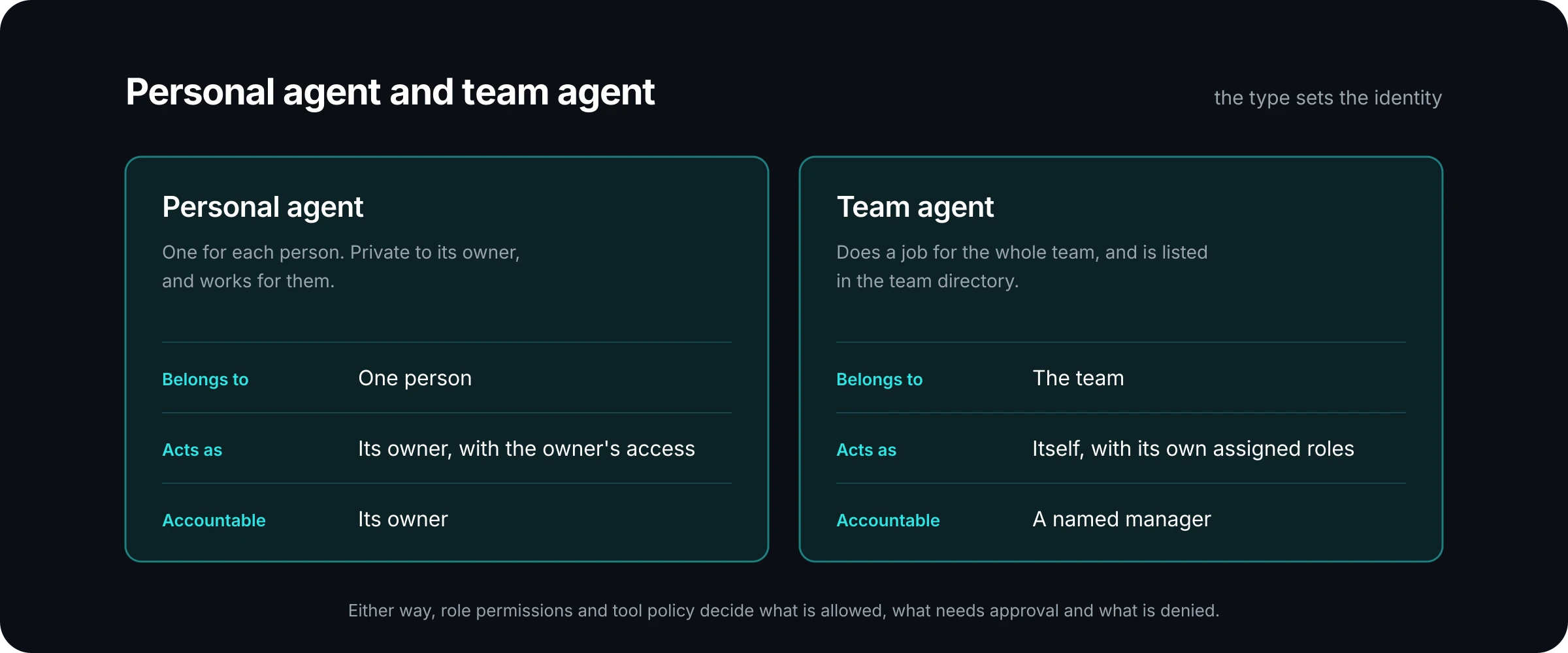
The comparison comes down to three questions: who the agent belongs to, who it acts as, and who is accountable. You can read more about both types on the PRESHos agents page.
Whose access does each agent use?
This is the part that matters most to a security reviewer.
A personal agent acts as its owner, with the owner's access. If an account manager can read the accounts in their own territory, their personal agent can read those accounts and no others. The agent has no separate set of rights to manage. When the owner's access changes, the agent's access changes with it.
A team agent acts as itself, with its own assigned roles. Someone has to decide what those roles are. A triage agent might be given a role that can read and update tickets for the service desk team and nothing else. It starts with the roles it is given, so its reach is something you design on purpose.
One rule sits above both types: an agent never has more access than its owner. Giving a job to an agent does not create a way around the permissions you already run for people.
Who is accountable when an agent gets something wrong?
For a personal agent, the owner is accountable. That follows from how it works. The agent acted as that person, with that person's access, on that person's request. If a personal agent drafts a renewal email with the wrong price, the account manager who asked for it owns the mistake, the same way they would own a draft written by a junior colleague and sent under their name.
For a team agent, a named manager is accountable. The word "named" is doing the work. A team agent serves many people, so "the team" cannot be the answer. One person is recorded as the manager of that agent, and that person answers for what it does and how it is set up.
Here is an example. A solution provider runs a team agent that sorts new service tickets by priority and routes them to the right queue. One morning it routes a batch of urgent tickets to the wrong queue. The service desk manager is the named manager. They do not need to work out which technician asked for what. They look at the record, see what the agent did and why, correct the routing rule, and the question of who follows it up is already closed.
What stops an agent from doing more than it should?
The agent type sets the identity. Two further controls set the limits, and they apply to both types.
Role permissions decide what the agent can create, read, update and delete, and for which records. Tool policy decides which tools the agent may use and how. Together they give every action one of three outcomes. It is allowed, so it goes ahead and is recorded. It needs approval, so it waits for a person. Or it is denied, so it does not happen.
Approval is where accountability becomes practical. The agent proposes, the owner decides, and reviews land in one inbox. A person sees what will change before it changes. The governance page shows how roles, approvals and the record fit together.
How do you decide which type a job needs?
Start with who the work is for.
Choose a personal agent when the work serves one person and should stay inside what that person can already see and do. Preparing for a customer meeting, summarising a long ticket history, or drafting a proposal for the owner to review are all examples.
Choose a team agent when the work is a standing job that serves several people, when it should keep running if any one person is away, or when it needs narrower access than the people who use it. Ticket triage, renewal reminders and partner program checks are examples.
Then ask three questions before a team agent goes live:
- Who is the named manager, and do they know they are?
- Which roles does the agent hold, and can you explain each one?
- Which of its actions go ahead on their own, and which wait for approval?
If any of these has no clear answer, the agent is not ready. That is true on any platform.
What does the record show afterwards?
Accountability depends on being able to reconstruct what happened. The record for an agent's work should answer the questions a manager, an auditor or a customer would ask.
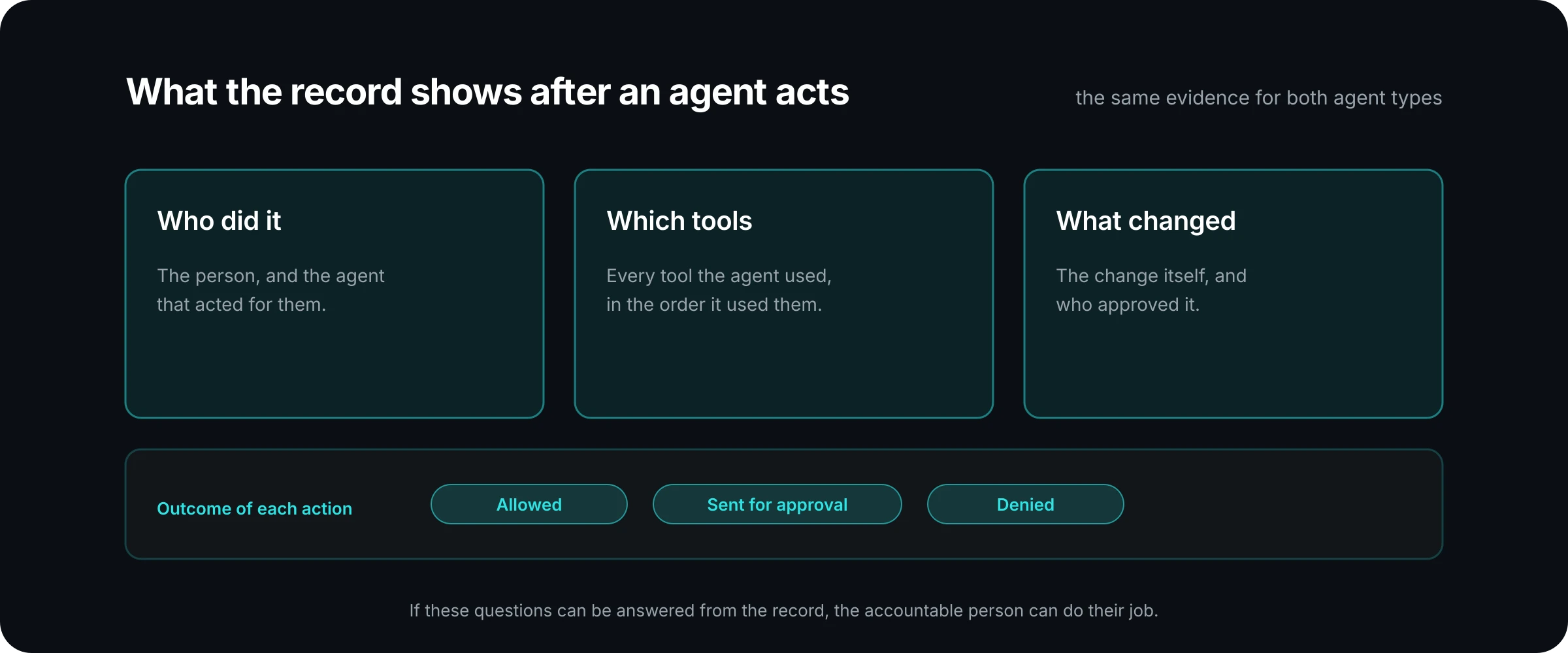
In PRESHos the audit record covers who did it, which agent, which tools and what changed. For a personal agent, that record ties the action to the owner. For a team agent, it ties the action to the agent's own identity, the person who asked, and the approval that let it through. The security page sets out the detail, area by area.
A useful test: pick one action an agent took last week and try to answer who asked, what the agent did, what changed and who signed off. If you can answer all four from the record without interviewing anyone, accountability is working.
Where to start
Most teams begin with personal agents, because the access model is already familiar. The agent can do what its owner can do, and the owner reviews the result. Team agents come next, once a piece of shared work is well understood and someone is ready to be its named manager.
Whichever comes first, decide accountability before capability. Write down the owner or the manager, the roles, and the actions that need approval. Then let the agent work.
If you would like to walk through how this applies to a workflow of your own, talk to us. We will map who should own the agent and what a person would approve.