
Inside this article
- Leadership asks the same few questions about AI every month. A good report answers each one in plain language, in the same order, every time.
- Results are only credible when the measure was agreed before the workflow was built. Decide what you will count first, then count it.
- The report is the agenda for a review. Its job is to produce decisions on adoption, value, issues, controls and what to work on next.
Sooner or later someone senior asks what the company is getting from AI. The question is fair, and it is hard to answer from memory. Usage sits in one tool, cost in another, and the results live in the heads of the people doing the work.
A monthly report fixes that. This article sets out what the report should contain, how to measure results without overstating them, and how to turn the report into decisions. It draws on the report PRESHai produces for Managed AI customers, and the structure works whether or not anyone manages your AI for you.
What does leadership want to know about AI?
The questions are consistent across companies of every size. Is anyone using it? Is it worth what we spend? What did we get this month? Did anything go wrong? What does it cost? What should we do next?
Notice what is missing from that list. Leadership rarely asks which model is in use or how a prompt was written. A report that leads with technical detail answers questions nobody asked and buries the ones they did.
Write the report for a reader who has ten minutes and no AI background. If the operations director can read it without a translator, it is doing its job.
What should a monthly AI report contain?
One section for each question. This is the outline we use for the Managed AI monthly report:
- Usage and adoption. Who is using it, how often and for what work.
- Results. Time saved, or the measure agreed for the workflow.
- What changed. The improvement released this month and how it landed.
- Exceptions and issues. What went wrong, what was done about it and what is open.
- AI usage. How much AI was used, so spend is never a surprise.
- Next priorities. The next opportunities, in the order you would take them.
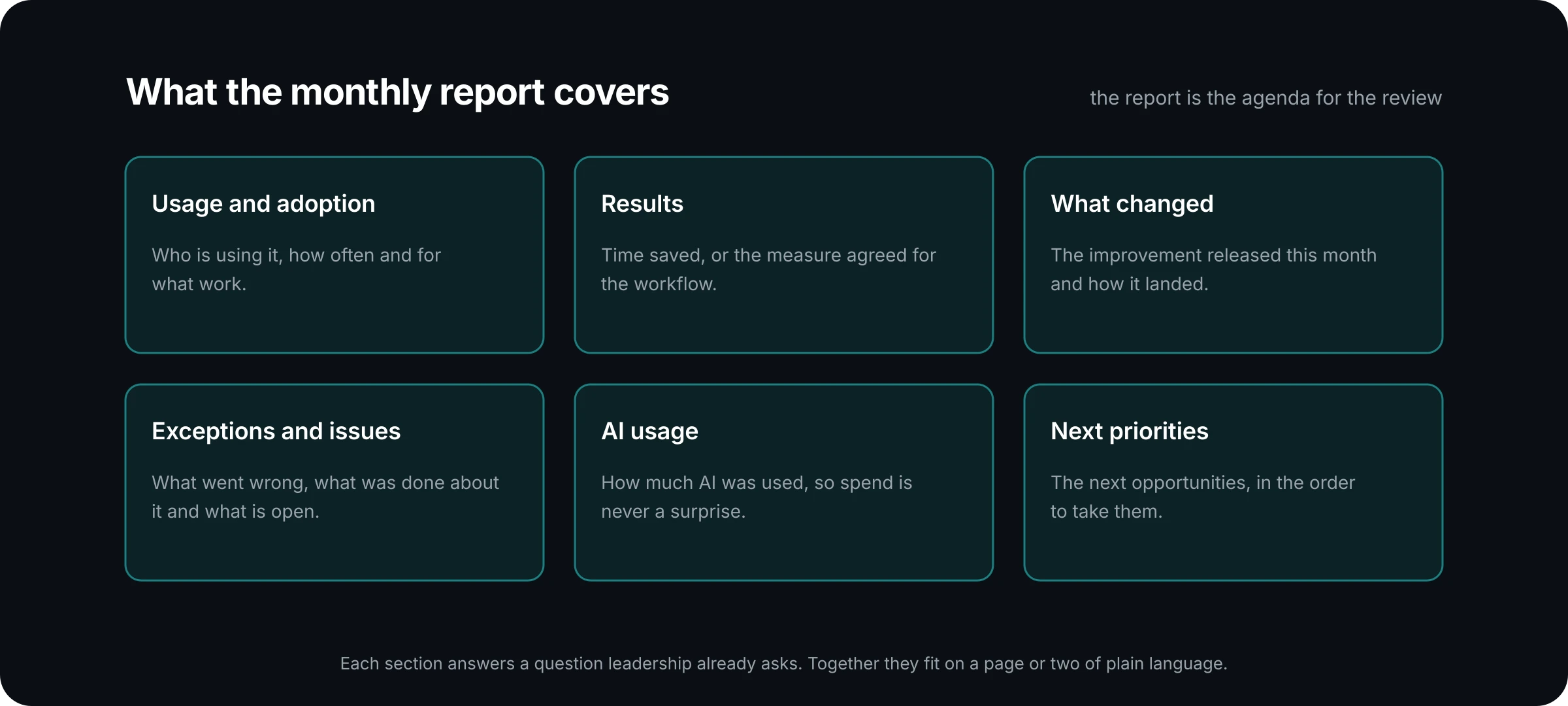
Keep the order fixed from month to month. Readers learn where to look, and a section that suddenly gets shorter or longer becomes a signal in its own right. The reporting and briefings page describes what a Managed AI customer receives each month.
How do you measure results without overstating them?
Agree the measure before the work starts. This is the single most useful habit in AI reporting, and the easiest to skip.
In the Managed AI cycle, each month begins by agreeing one bounded improvement and the business measure that matters. The month ends by reviewing adoption, quality, cycle time or whatever measure was agreed. Because the measure was named first, the result is a comparison, and nobody has to construct a story afterwards.
As guidance for choosing a measure:
- Pick one per workflow. A workflow with five measures has none. Choose the one the process owner already cares about.
- Record the starting point. Note how long the task takes today, or how many are handled in a week, before anything changes. Without a baseline, any later number is a guess.
- Say how you counted. If time saved is an estimate, state the method next to the figure. An estimate with its working shown is more persuasive than a precise number with none.
- Report flat results too. A workflow that made no difference this month is information. It may need a fix, more training or retirement.
Here is an example of a result written well. "Account review summaries: the service team agreed to measure preparation time per review. Before the workflow, managers estimated about an hour each. This month they report roughly a quarter of that, based on a sample the team timed." The figures in that example are invented to show the form. The form is what matters: the measure, the baseline, the result and the method, in a few sentences.
How should you report problems?
Directly, and in the same report as the good news. The exceptions and issues section answers three things: what went wrong, what was done about it, and what is still open.
Leaders trust a report that includes problems. A report with no issues, month after month, reads as a report that is not looking. Issues also carry the most useful information about controls. A connector that failed, an output that needed heavy correction, or a request that was rightly stopped at an approval step each tell leadership something about how the system behaves under pressure.
Keep each entry short and give each one an owner. An issue with no owner will be on the list again next month.
How do you report AI usage and cost?
Plainly, and before anyone has to ask. The aim of the AI usage section is that spend is never a surprise.
As guidance, show three things: how much AI was used this month, how that compares with last month, and what drove any change. A rise in usage is often good news, because it means adoption is growing. It still needs a sentence of explanation.
Where the evidence comes from depends on your platform. On PRESHos, every run is recorded with its cost, so you can see where the usage went. On other platforms, find out early which admin report holds the usage data and who has access to it. The supported platforms page explains how we work across PRESHos, ChatGPT and Claude.
What should the review meeting decide?
A report that is read and filed has done half its job. In Managed AI, the report is the agenda for the monthly review, where the next improvements are planned. The review exists to produce clear decisions on adoption, value, issues, controls and what to work on next.
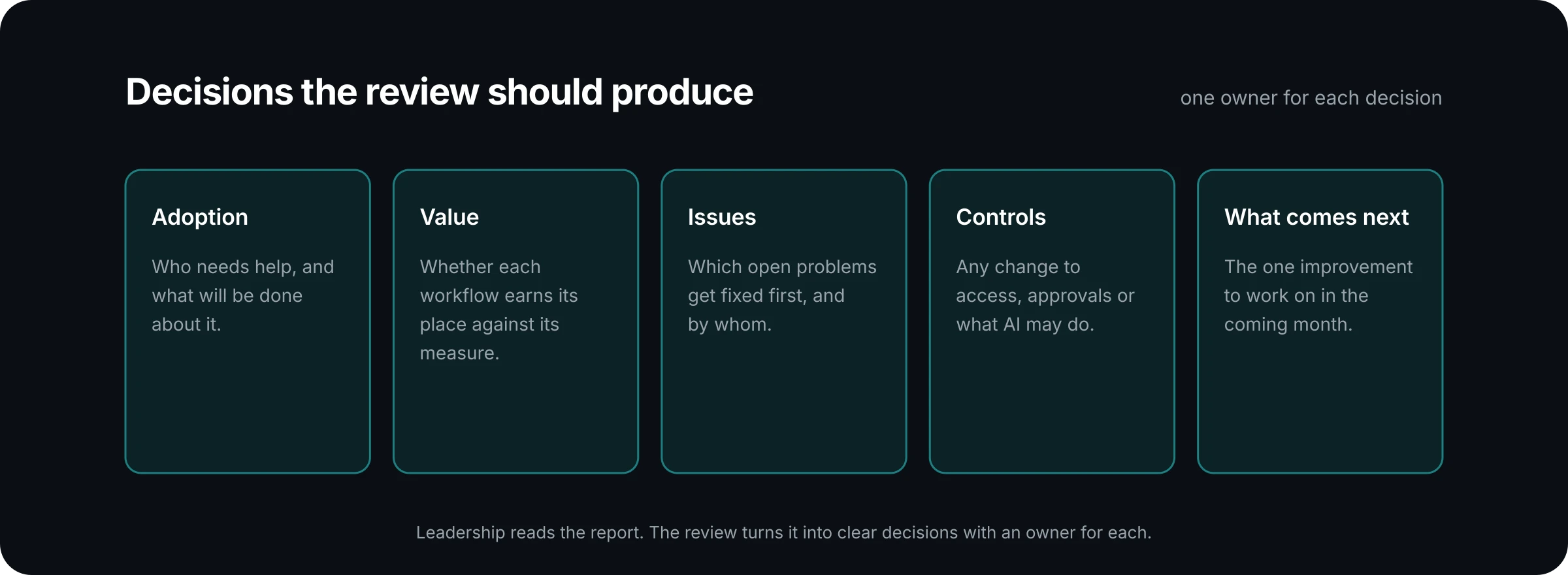
A simple test for the meeting is to write down what was decided before people leave. If the list is empty, the meeting was a presentation. Next month, cut the walkthrough of the report, send it ahead, and spend the time on the decisions.
For the full leadership team, a shorter version is usually enough: a few lines on usage, the headline result, any issue that needs their attention, and the next priority. Offer the full report to anyone who wants the detail.
Where to go from here
You can start this month with what you have. Write the section headings, fill in what you know, and mark the gaps. The gaps are useful. They show which measures were never agreed and which evidence nobody is collecting.
If you would like the report produced for you, it is part of every Managed AI plan. The Managed AI page shows what the report covers and how the monthly cycle runs. The small business plan is $3,000 a month, and midmarket and enterprise services are scoped with you.
Talk to us about what you can and cannot see about your AI usage today, and we will talk through what a monthly report would cover.