
Inside this article
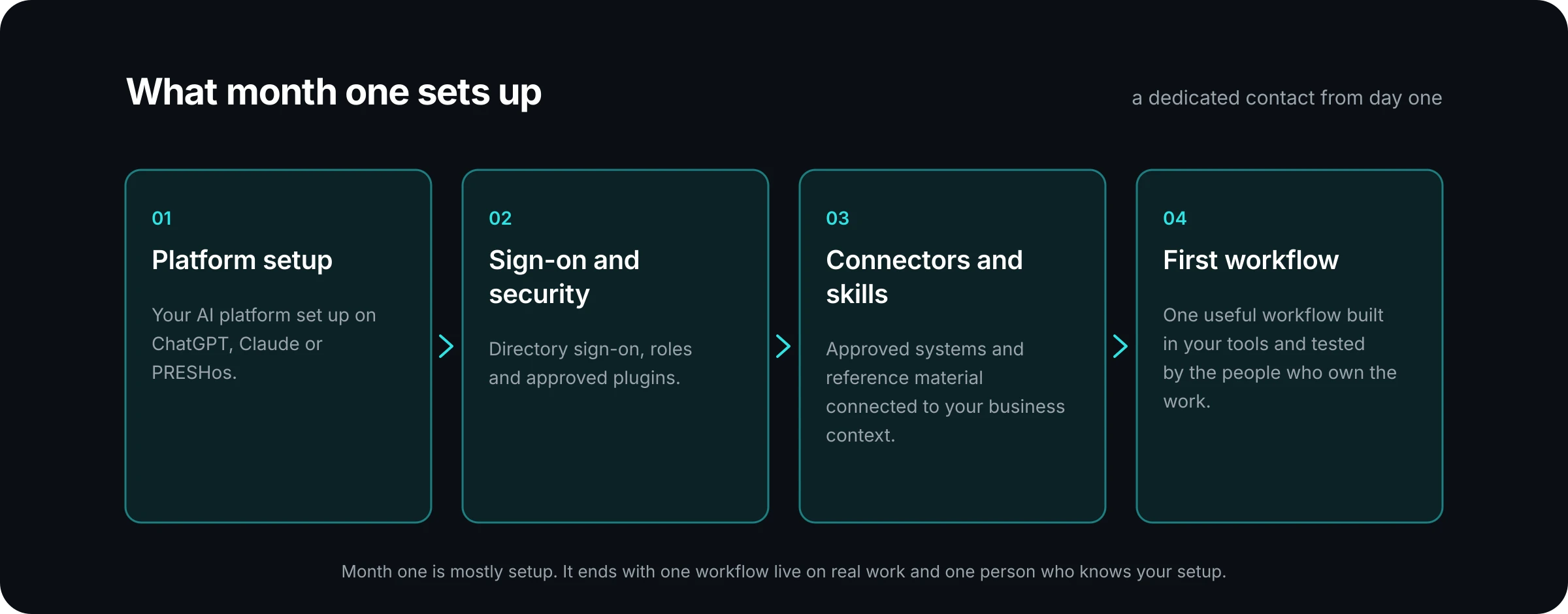
- Month one is mostly setup: the platform, sign-on and security, connectors and skills, a dedicated contact, and a first workflow your team tests on real work.
- By month six the service runs as a cycle. One improvement is selected, released and evaluated each month, with a report, a review, a briefing and training around it.
- What you should hold by month six is a record: the improvements released, the results against what was agreed, and a clear next priority.
A managed service is easy to describe in a sentence and harder to picture in practice. Managed AI from PRESHai is a monthly service. We set up your AI platform on ChatGPT, Claude or PRESHos, keep it secure and current, build new workflows into how your team works, and report on what it delivers.
This article describes what that looks like at two points: the first month, when most of the work is setup, and the sixth, when the service has settled into a rhythm. It does not give a calendar. Timing depends on the workflow, the integrations and the access involved, so what follows is the order of the work and what you should be able to see at each point.
What happens in the first month of Managed AI?
The first month puts the foundations in place. Four things are there from day one:
- Platform setup. Your AI platform is set up on ChatGPT, Claude or PRESHos.
- Sign-on and security. Directory sign-on, roles and approved plugins.
- Connectors and skills. Approved systems and reference material are connected, so AI works from the information your team trusts.
- A dedicated contact. One person who knows your setup.
Alongside the setup, the first workflow gets chosen and built. The steps are simple. You show us a task that takes too much time or moves between too many people and tools. Together we choose one useful workflow to build first and agree what success looks like. We connect the approved systems, set permissions and build the workflow around the way your team works. The people who own the work test it with real examples, approve how it works and learn how to use it.
The getting started page walks through these steps in more detail.
What does your team need to do in month one?
Less than a project would ask, but the work that remains is yours alone. You make the business decisions and we handle the setup. In practice that means a short list:
- Name one owner who sets priorities. When two teams both want the next improvement, this person decides.
- Name a process owner for each team involved. They know how the work is really done, including the exceptions nobody wrote down.
- Keep vendor accounts, licences and API access active. A connector cannot reach a system your team has let lapse.
- Approve what goes live. Your people decide what AI may change and when a workflow is ready.
The most valuable hour your team spends in month one is the walkthrough of the work itself. A process owner who shows the real task, with real examples and the awkward cases, saves a great deal of guessing later.
How do you choose the first workflow?
Choose something bounded. The word matters, because a first workflow that tries to fix a whole department never reaches the testing step.
As guidance, a good first workflow has three properties. It happens often, so there is enough volume to see a result. One person or team owns it, so someone can approve how it works. And it has a measure you can state before the build starts, such as cycle time, quality, or hours spent.
Here is an example of the shape. An MSP might start with the account review summary a service manager assembles by hand from several tools before each client meeting. A distributor might start with a first draft reply to a routine partner enquiry. Neither is a transformation. Each is a task that is frequent, owned and measurable, which is what makes it a sound first choice.
What does a typical month look like by month six?
By month six the setup is behind you and the service runs as a cycle. The month follows the same three steps each time:
- Select. We agree one bounded workflow or process improvement, and the business measure that matters.
- Release. We configure, test, document and introduce it inside your approved environment, on real work.
- Evaluate. We review adoption, quality, cycle time or the measure we agreed, and use the evidence to set the next priority.
Around that cycle sit the other monthly parts of the service: reporting on usage, results and what changed, a strategy briefing on what is new and what to do next, and training sessions that keep your people current.
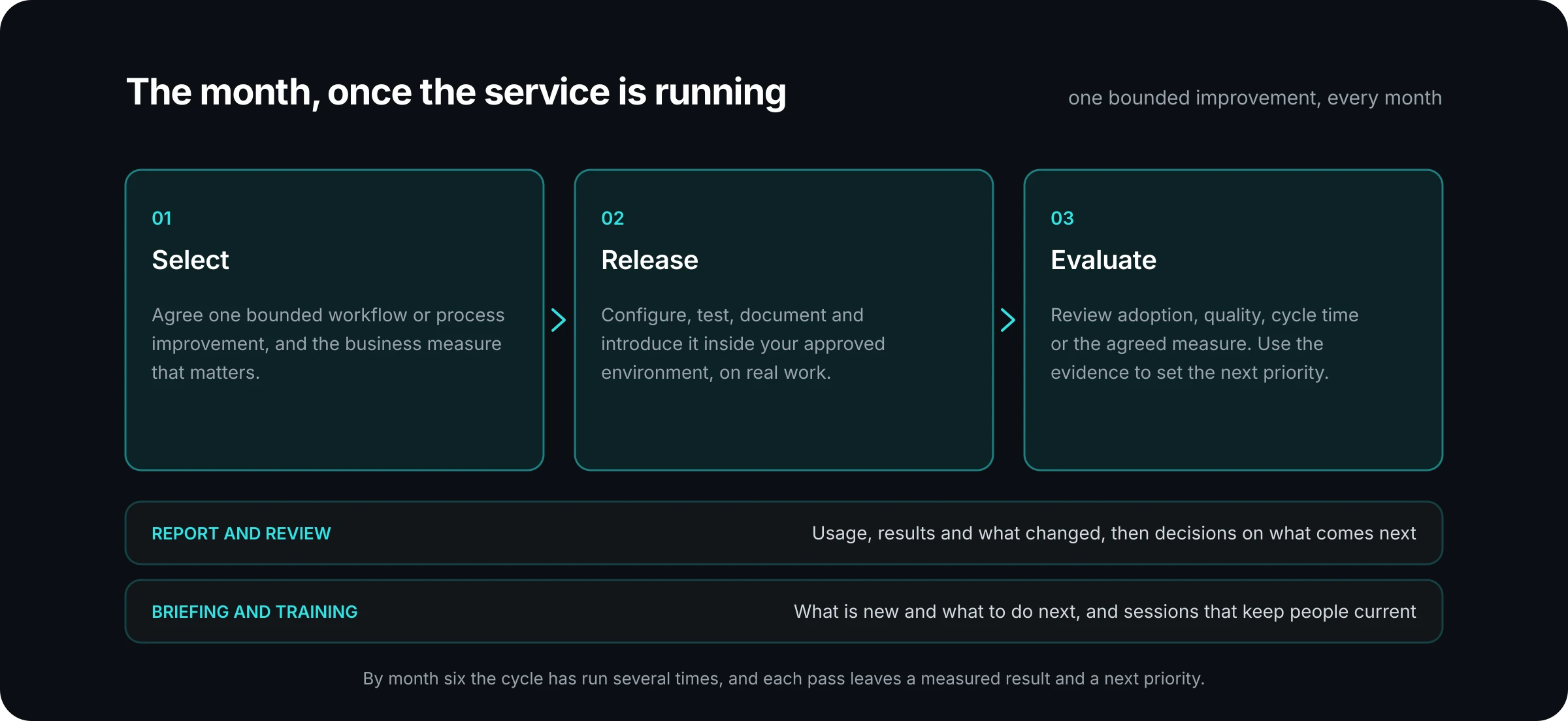
The steadiness is the point. Your team always knows what is being worked on this month, and leadership always knows what was released last month.
What should you be able to see by month six?
A record. If someone asks what the service has delivered so far, the answer should not depend on anyone's memory. As a checklist, by month six you should be able to put your hands on:
- The improvements released. A plain list, each with the measure agreed for it and what the evaluation found.
- A run of monthly reports. Each one covers usage and adoption, results, what changed, exceptions and issues, AI usage and next priorities. Several in a row show trends that one cannot. The reporting page describes what you get each month.
- A short list of open issues. What went wrong, what was done about it and what is still open.
- A next priority. The opportunities ahead, in the order you would take them.
If one of these is missing, raise it at the monthly review. The report is the agenda for that meeting, so a gap in the record is a fair item to put on it.
What changes between month one and month six, and what stays the same?
The balance of the work changes. Month one leans toward setup and a single workflow. Month six leans toward improvement, measurement and deciding what comes next. Your team's questions change too. Early on people ask how to use the tools. Later they ask what else the tools could take on, which is a healthier problem to have.
Several things should not change at all. You still have one contact who knows your setup. You still approve what goes live. You stay in control of your data, your permissions and what AI can do. And larger builds are still scoped before they start, so the monthly improvement stays bounded.
Ownership also stays optional. If you decide to run it yourselves, there is a transfer process. We document the active AI assets and who owns each one, transfer the backlog and the measurement history, review governance and the known risks with your owner, train the person who takes over, and hand off a roadmap your team owns.
Where to go from here
If you are weighing a managed service, use the two snapshots as a test. Ask any provider what month one sets up and what you will hold in your hands by month six. Clear answers to both are a good sign.
For PRESHai, the scope is set out on the what we run page. The small business plan is $3,000 a month, and midmarket and enterprise services are scoped with you, as the plans page explains.
Talk to us about the work you want done first, and we will walk through what your first month would cover.